The Lime Green Dream
My first laptop was the color of a lime Jolly Rancher. I was eleven.
A clamshell iBook, the Key Lime one, translucent, with a handle on the back and the heft of a phone book. I mostly used it to code and to poke at things online that nobody quite understood at the time. What I remember most is the feeling that there was a whole world under the plastic I wanted to live in. The Mac OS 9 desktop felt like my home.
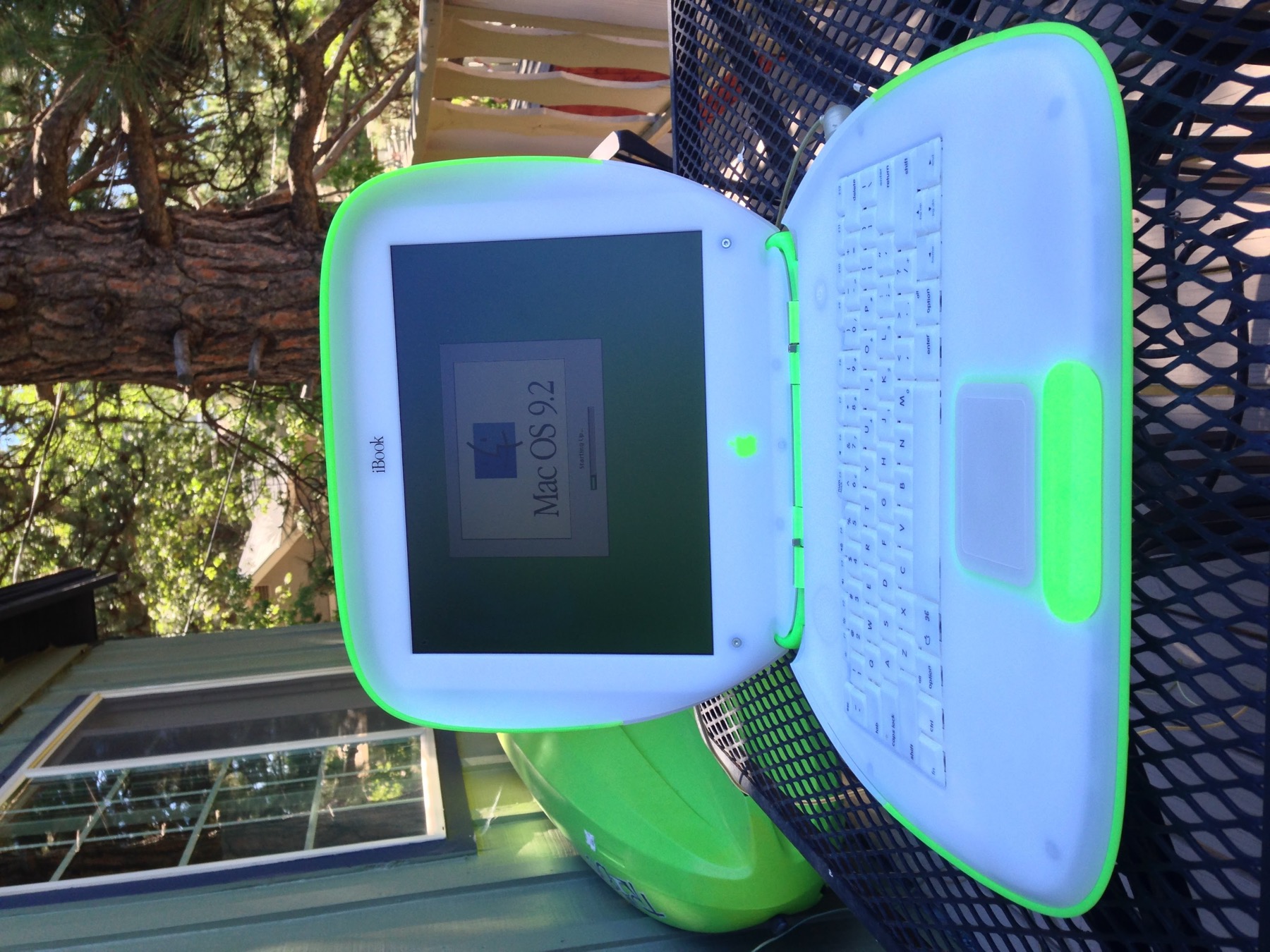
My Key Lime iBook, still booting Mac OS 9.2, back in 2013 — on the balcony of what was then my mountain cabin in Running Springs, California.
A few years later I had an iBook G4, a machine that only booted Mac OS X. I used it to hold onto a world that was already slipping away. OS X had taken over, and OS 9, the Mac I’d grown up inside, was becoming a museum piece. So I ran SheepShaver and virtualized OS 9 right there on the G4. It booted. My old software came back to life without the awkwardness of the Classic environment.
But it was flat. SheepShaver hands the emulated Mac a plain framebuffer: a rectangle of pixels, nothing more. No graphics acceleration. Every window drag and every redraw got pushed around in software, one pixel at a time. I’d watch it chug and think — I wished it could fly. I wished it was capable of providing the acceleration the real hardware had.
That wish never left. This is what I did about it.
PocketShaver is a port of SheepShaver to iOS, iPadOS, and Mac Catalyst started by Carl Björkman (@carbjo), who graciously invited me to contribute. And I am excited to announce that we have been able to accomplish the thing eleven-year-old me wanted: the graphics are accelerated now, and on Mac hosts, the CPU is too.
The graphics
Instead of that one flat framebuffer, PocketShaver has four Metal engines sitting behind the emulated Mac’s screen. QuickDraw, the 2D drawing that all of classic Mac OS is built on, now runs on the GPU. I wrap the emulated Mac’s RAM as a shared Metal buffer so nothing has to be copied, and the blits, pattern fills, and text masking happen in compute shaders. QuickDraw 3D games get a real RAVE hardware renderer. There’s a full OpenGL 1.2 path, and DrawSprocket for the full-screen arcade stuff. All of it composites through a single Metal layer that understands every Mac video depth, from 1-bit black-and-white up to millions of colors.
The interface I loved doesn’t chug anymore. It flies.
The CPU
On the Mac Catalyst build there’s a JIT: a from-scratch PowerPC-to-arm64 recompiler I wrote as an Apple Silicon backend for SheepShaver’s Kheperix framework. It translates the old PowerPC code into native ARM instructions and chains the compiled blocks together, with a fast path that reaches straight into guest memory. It plays by Apple Silicon’s rules, generating code under the W^X hardened runtime, and it’s deliberately cautious. An instruction only gets compiled natively once it’s been lockstep-tested against the interpreter; anything unproven, AltiVec included, falls back to the interpreter. Correctness never trades against speed.
(Apple won’t grant JIT entitlements to iOS apps, so on iPhone and iPad it stays interpreter-only, and the Metal engines carry the day there.)
Here’s the part that gets me: on my MacBook Pro M4 running MacBench 5.0, normalized to a Power Macintosh G3/300 (a machine I remember well from my youth), the JIT pushes the processor past six times that G3 and the floating point past five. OS 9 runs faster on that Mac than the fastest classic Mac I ever dreamed about. And with the Metal engines doing the drawing, it runs in my pocket, too.
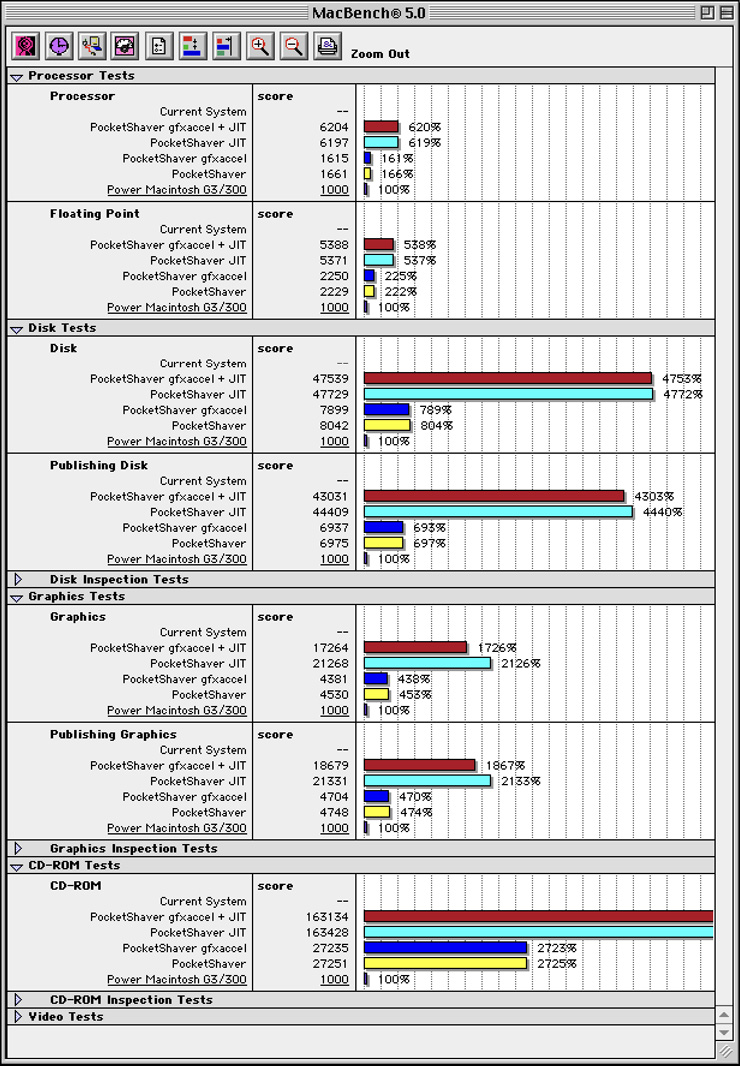
MacBench 5.0, normalized to a Power Mac G3/300 (100%). Each test compares PocketShaver four ways: graphics acceleration and JIT together, JIT alone, acceleration alone, and the plain interpreter.
I’ve wanted to carry the entire world of classic Macintosh computing in my pocket since back when I was hauling that lime green machine around by its handle. It took a pile of detours to circle back and make it happen.
There’s a lot more to say about how each piece actually works, and I will. For now: it flies. Consider that the whole point.
PocketShaver’s graphics acceleration work lives in my fork of the project, where I also publish Mac Catalyst builds.